PowerOn Pro is the fastest way to develop on the Symitar core platform and we're barely getting started with its feature set. Check out what's available now and what's coming to PowerOn Pro in the very near future.
| Feature | Description | Status |
|---|---|---|
| Syntax highlighting | the most complete and robust highlighting for the PowerOn language | Available |
| File icon theme | an extended Seti (built-in) icon theme with known PowerOn file extensions | Available |
| Code completions | get prompted as you type with relevant and helpful completions | Available |
| Multi-document definitions & references | quickly navigate definitions, references, and dependencies in your PowerOn | Available |
| Code snippets | get started faster with an extensible snippet library | Available |
| Hovers | gain insight from eDocs into the keyword, function, template, or database record | Available |
| Function signatures | know what the PowerOn function does as you write it | Available |
| Tasks | keep track of what's next for your PowerOn "todos" | Available |
| Direct integration to Symitar (SSH) | validate, deploy, install, or execute PowerOn files directly in VS Code | Available |
Plus PowerOn code formatter |
Ensure all of your PowerOns conform to a consistent style | Available |
Plus PowerOn diagnostics |
analyzer-driven realtime diagnostics and CodeLens reference counts for PowerOn files | Continuous Development |
Plus Direct integration to Symitar (HTTPs) |
perform the same actions from SSH on a more stable HTTP API | Available |
Plus Symitar Explorer - Remote Syms |
get a semi-virtual workspace for the LetterFiles, HelpFiles, and PowerOn directories on any Sym | Available |
Plus Symitar Explorer - Remote Syms SCM |
don't worry about clobbering files as you sync, we'll funnel these through the source control manager | Coming Soon |
Plus Symitar Explorer - Reports |
level up the execution of your PowerOns with a robust reports view | Available |
Plus Embedded HTML language support |
get the HTML syntax highlighting within your PowerOns but also forget about wrapping every line in htmlViewLine |
In Development |
Plus On-Demand PowerOn Rendering |
choose an account and run on-demand PowerOns straight from VS Code | In Development |
Plus SymXchange PowerOn Development |
manage the full lifecycle of SymX PowerOns without opening Symitar Quest | Coming Soon |
Plus Job Files Manager |
Skip out on the wizard prompts and use templates to prototype new batch jobs in seconds | Coming Soon |
Syntax highlighting
Available • Treat yourself to beautiful syntax highlighting for the PowerOn language to help you visually interpret your code on any available VS Code theme.
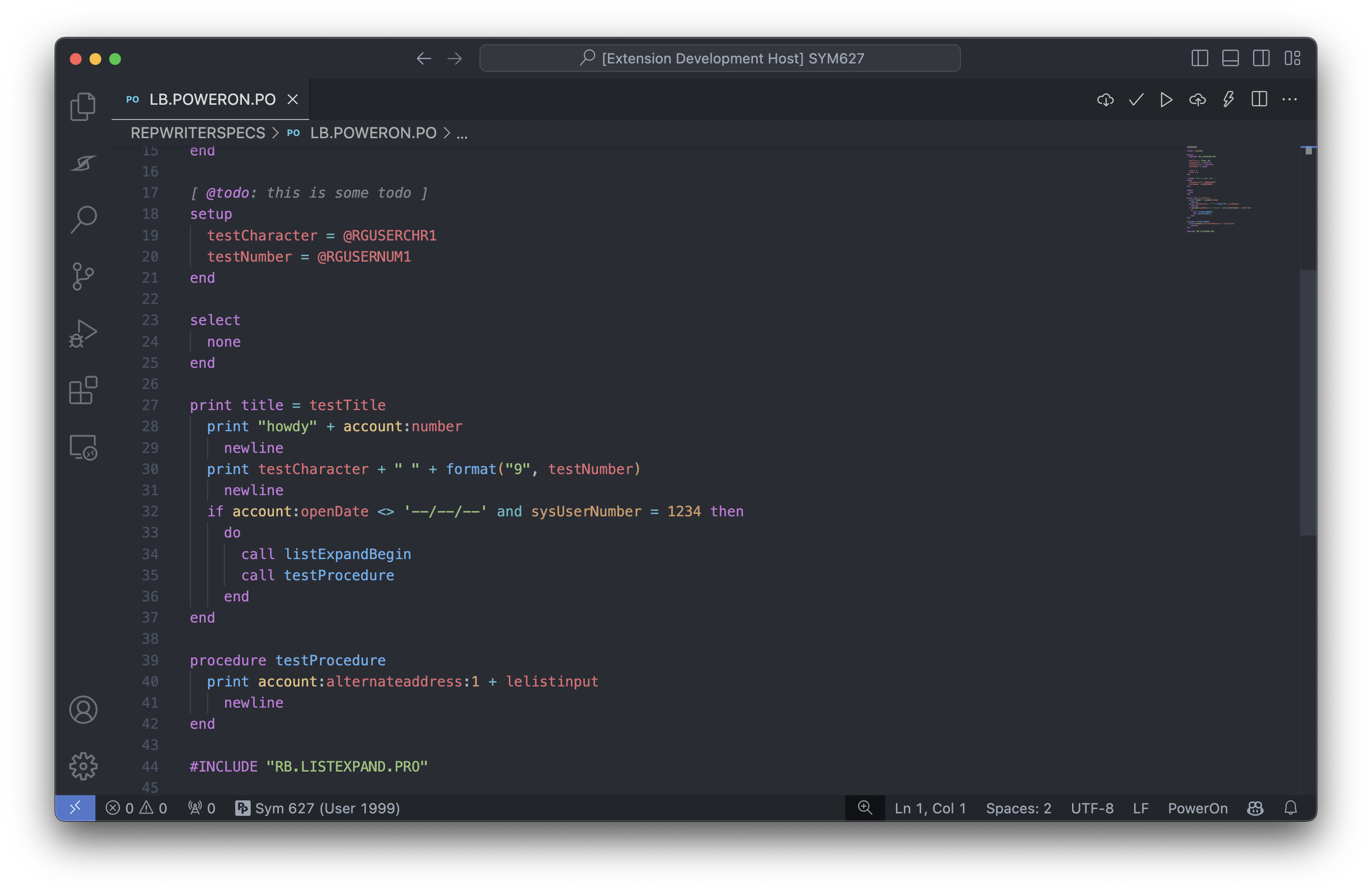
One more thing, we know many of your PowerOn files may not have an extension at all. As you open these, we'll automatically detect the PowerOn language and keep record of the association for future use 
File icon theme
Available • Quickly visualize what type of PowerOn is in your workspace with simple and beautiful file icons that distinctly set them apart from one another.
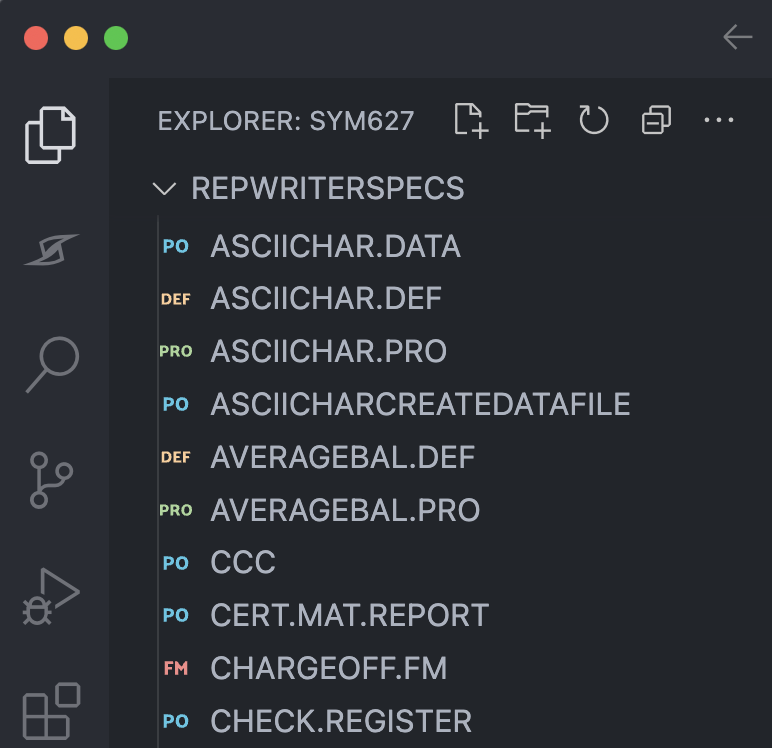
The PowerOn Pro file icon theme for VS Code.
Code completions
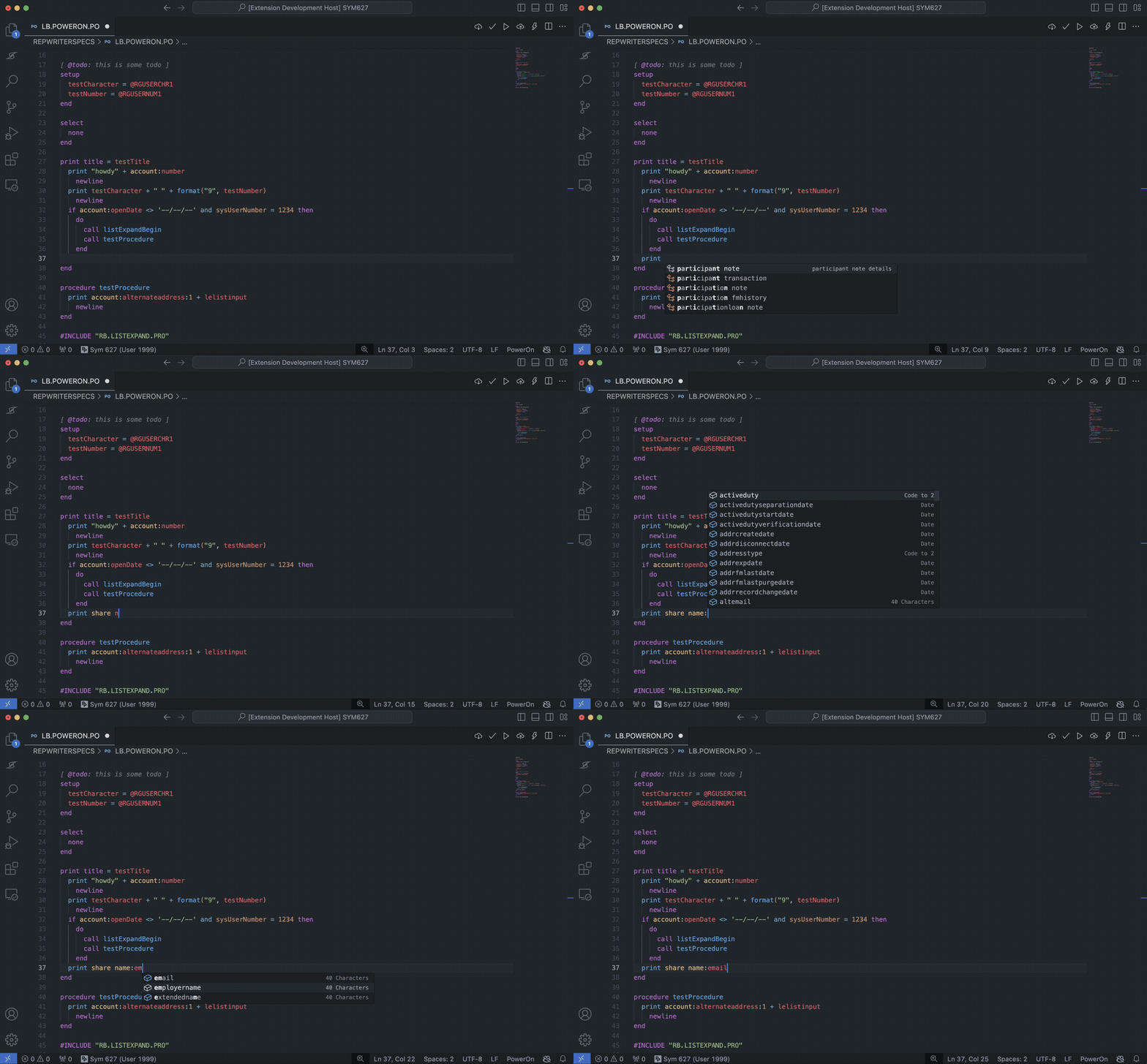
Available • Freely type away and let PowerOn Pro suggest completions for you. We've got you covered with completions for records, keywords, functions, and more!
Multi-document definitions and references
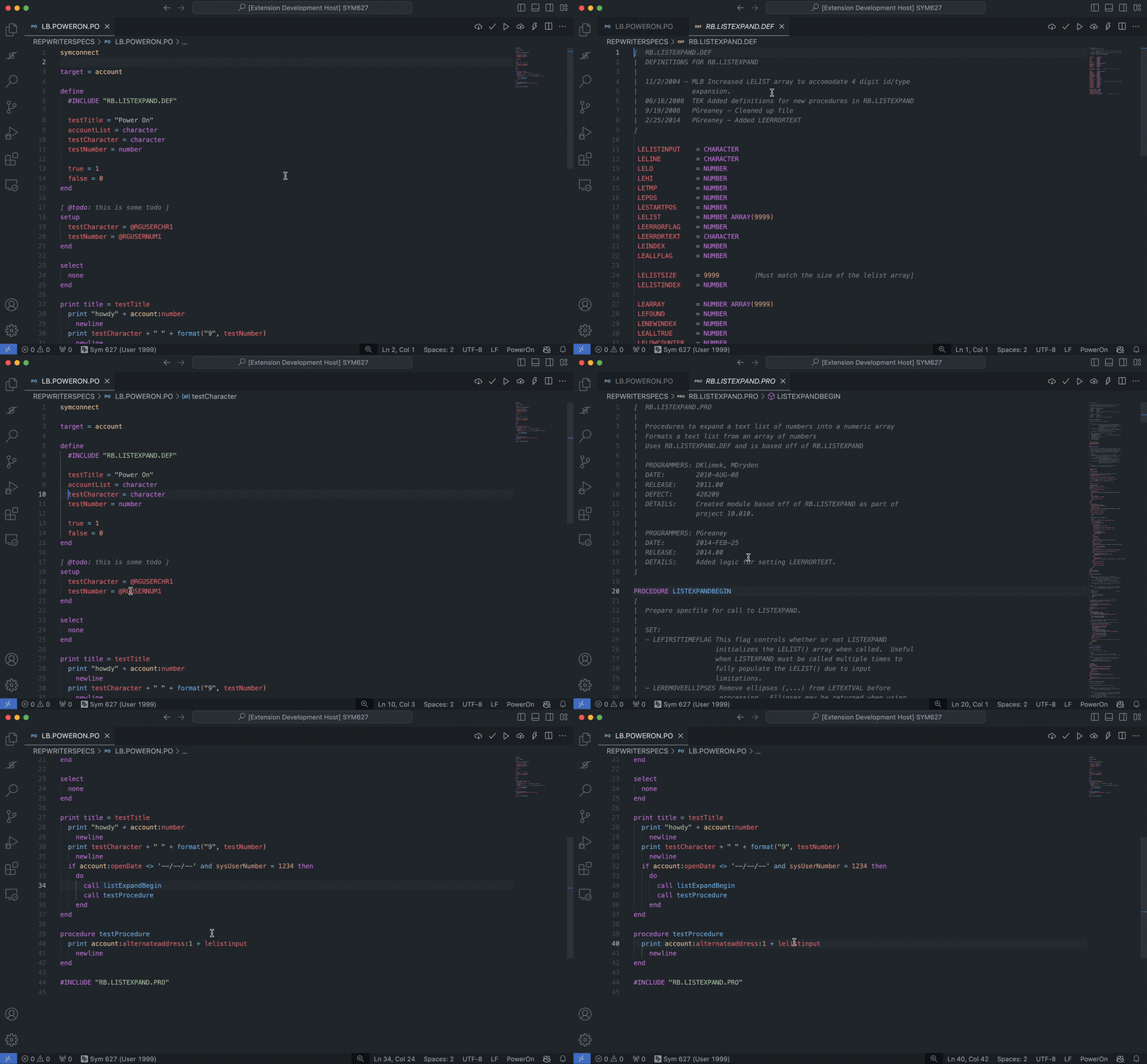
Available • Navigate between PowerOn files with ease. Any #INCLUDE you have referenced in a file will be available for you to jump to with a simple click (CTRL + Click on Windows, CMD + Click on macOS). We also support cross-file variables and procedures.
Code snippets
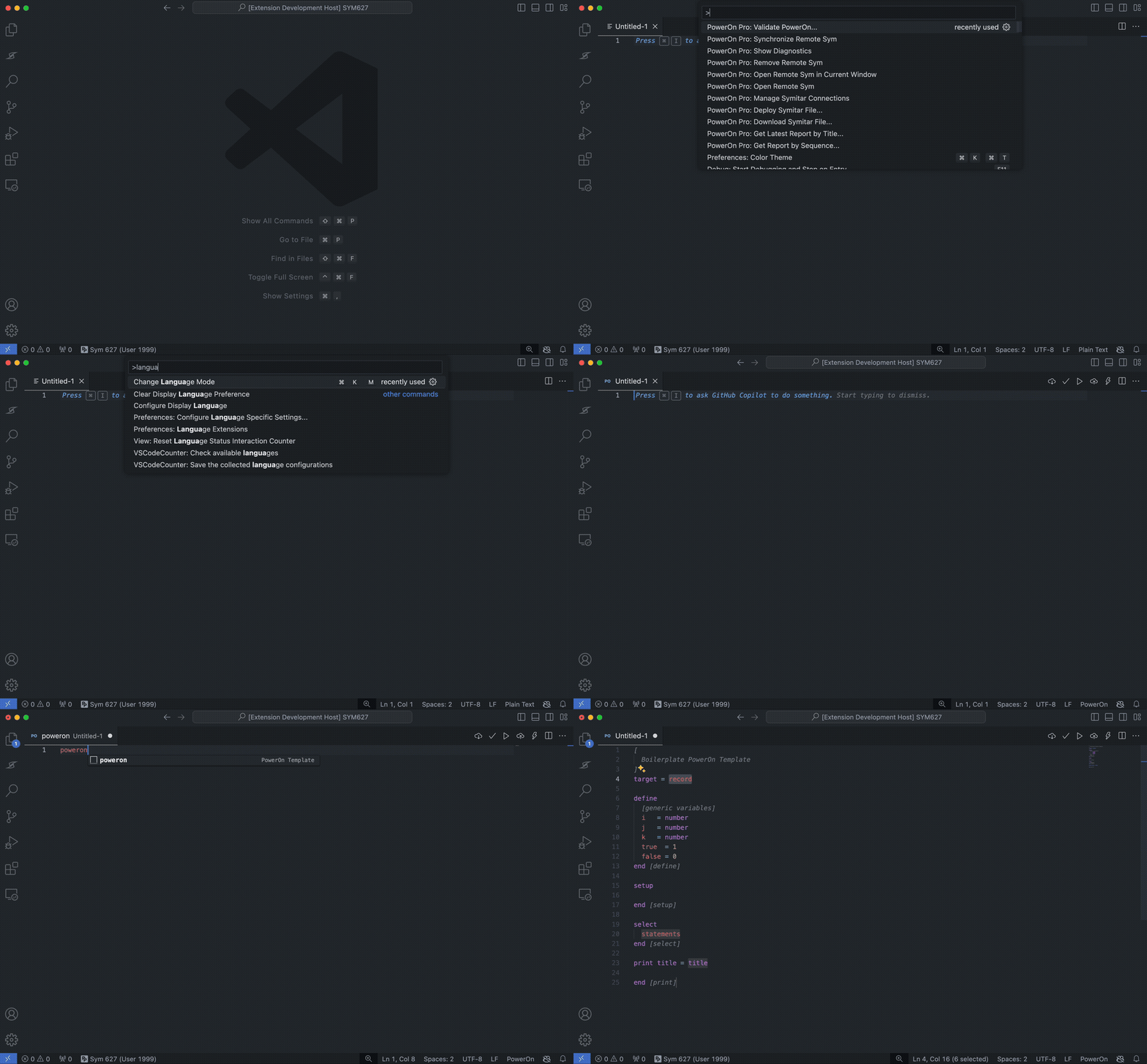
Available • We've included a few code snippets to help you get started with some of the most common PowerOn constructs. Just type the snippet prefix and hit Tab to expand the snippet.
Hovers
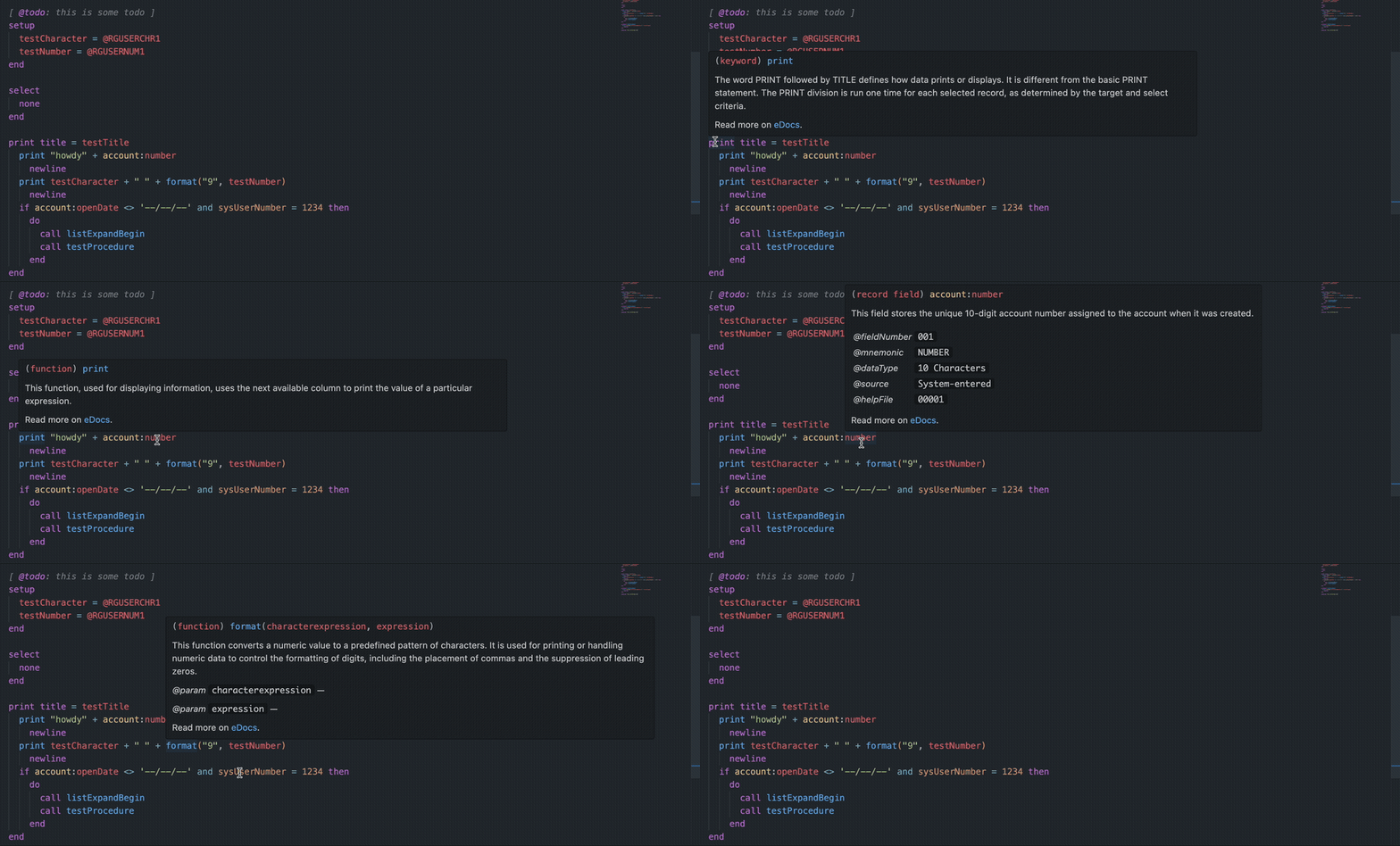
Available • We've bridged the gap between PowerOn development and documentation by making various Jack Henry eDocs references available directly on the keyword, function, and any of the special literals of the PowerOn language as a hoverable.
Function signatures
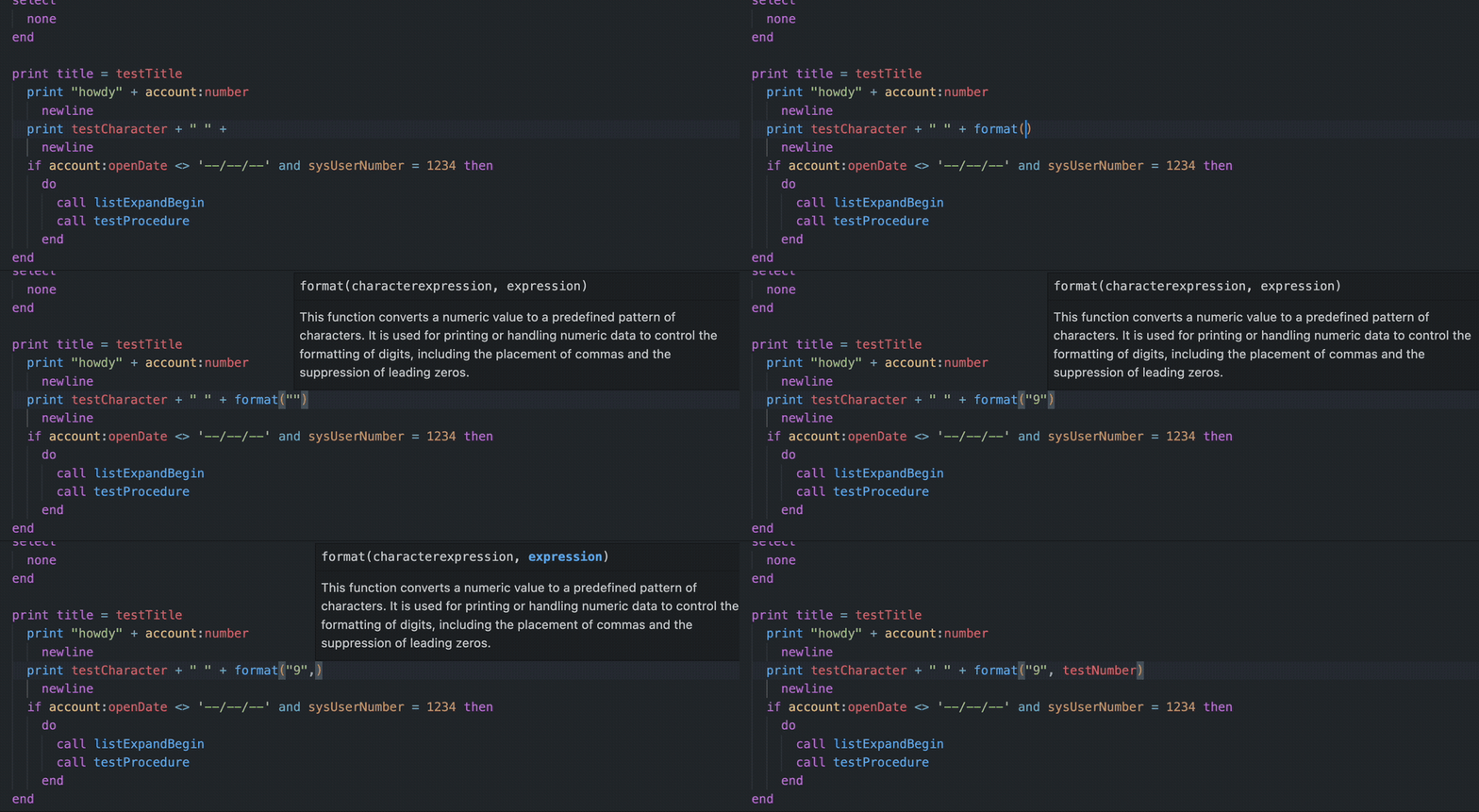
Available • Remembering all of the PowerOn functions and their parameters can be a challenge for even the most experienced developers. We offer function signatures that appear as you type to display which parameter is next as well as what it's for.
Tasks
Available • With our syntax highlighting, we brought Docstrings to your PowerOn comments. Take it one step further by adding @TODO anywhere in a comment and we'll collect them for you to work through in a custom view.

The PowerOn Pro: Tasks panel view.
PowerOn code formatter
Available • Enforce a consistent code style across your entire codebase by parsing and re-printing according to defined rules taking maximum line length into account and even case sensitivity.
Direct integration to Symitar (SSH)
Connect your Symitar core to PowerOn Pro and take advantage of realtime PowerOn validation, deployments, and batch execution from within VS Code.
Validate PowerOns
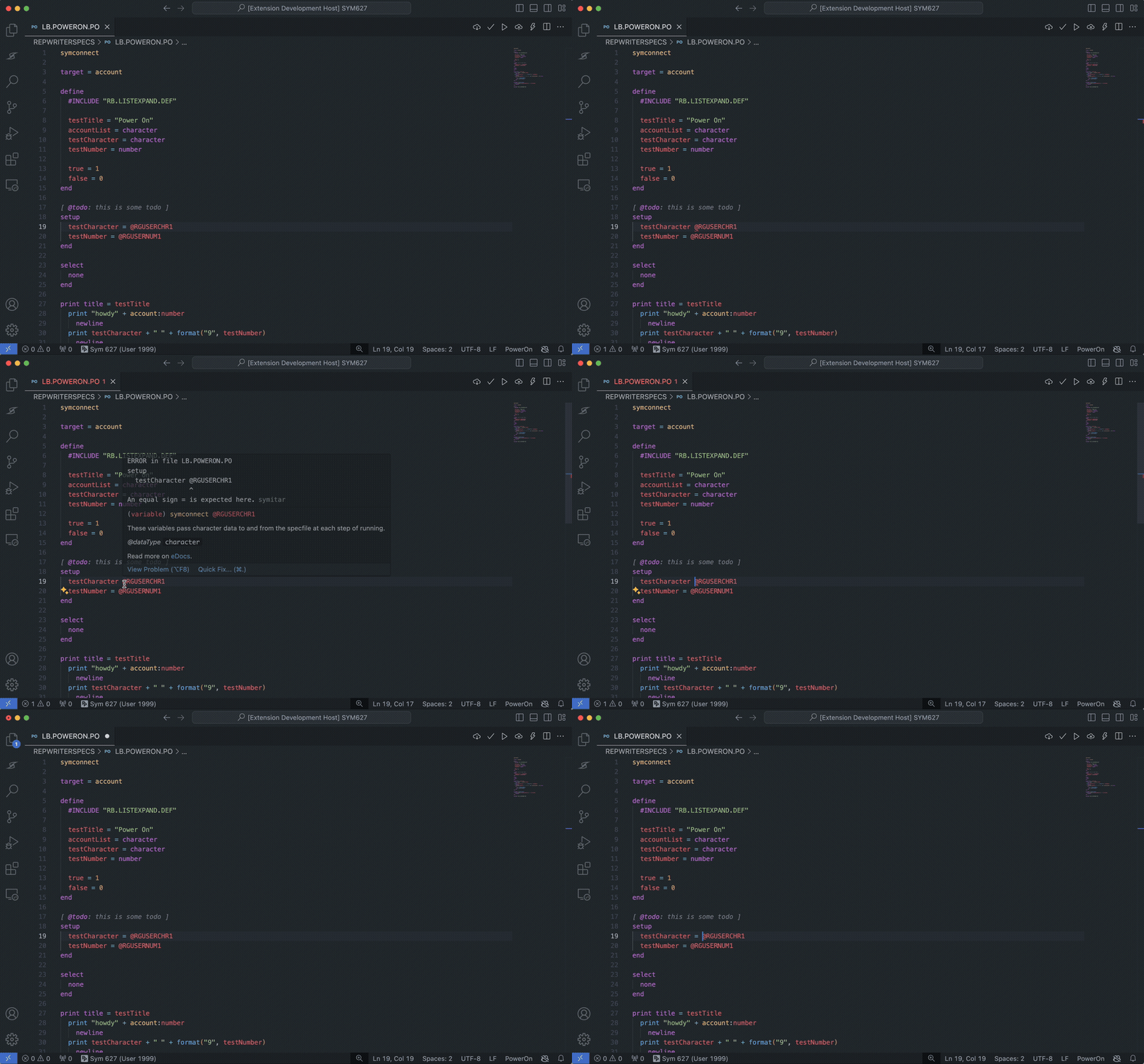
Available • Get validation feedback from Symitar as you save your PowerOn files.
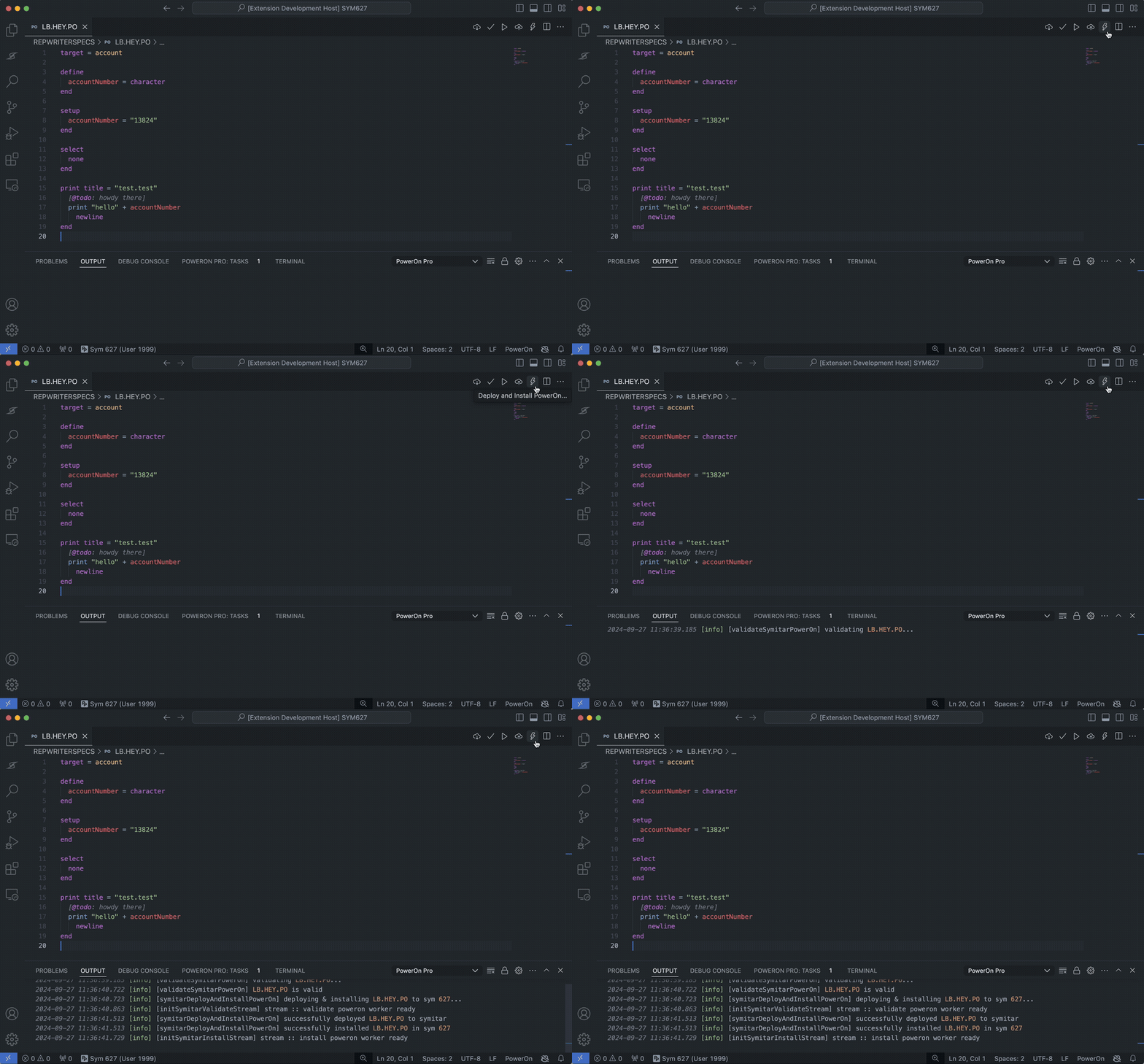
Deploy and Install PowerOns
Available • Choose to deploy or install your PowerOns to your Symitar core.
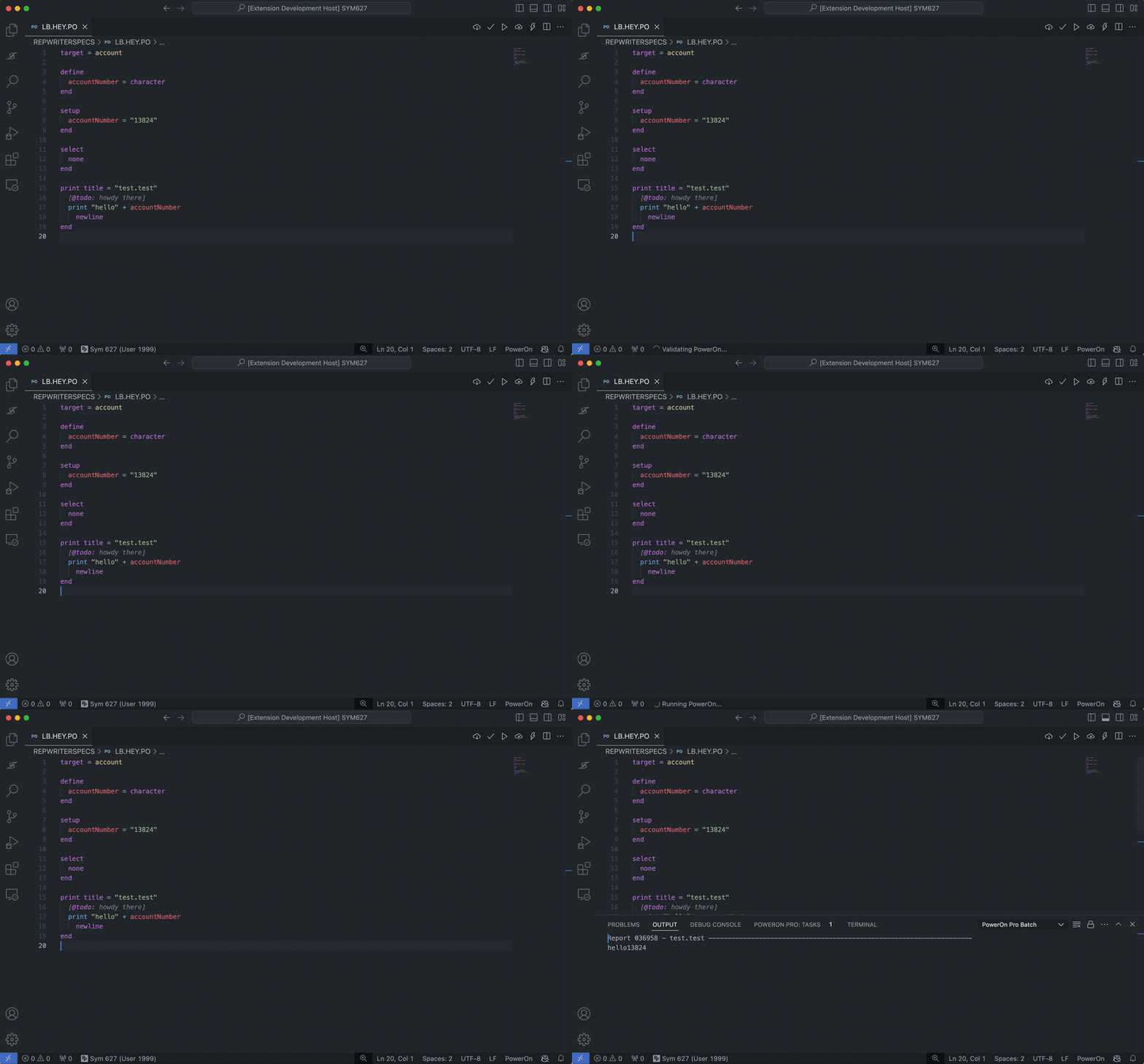
Execute PowerOns and get batch output
Available • Run your batch PowerOns and get the output directly in VS Code.
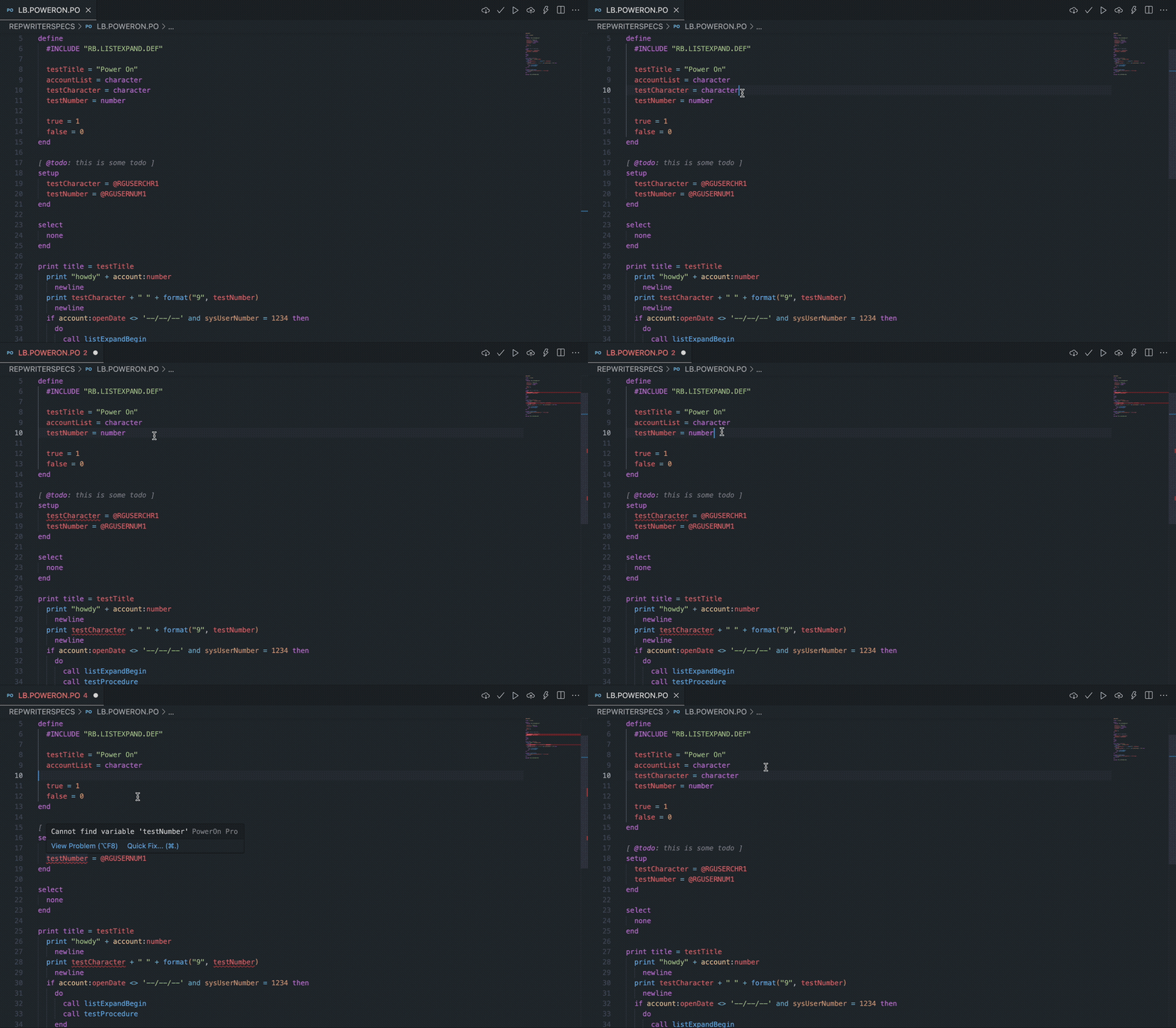
PowerOn diagnostics
Plus / Continuous Development • Natively you have the ability to validate your PowerOn but this only identifies the breaking change starting at the top of the file. The Libum Semantic Analyzer adds realtime diagnostics for undefined and unused variables, syntax errors, mismatched DO / END blocks, data type mismatches, constant reassignment, expression validation, division by zero, dead branches, non-exhaustive conditional paths, field validation, function validation, and FMPERFORM / TRANPERFORM statement validation.
CodeLens reference counts are part of this Plus analyzer experience, showing N references above defined variables and procedures.
Diagnostics understand local #INCLUDE files and route include-file errors back to the relevant specfile instead of leaking unrelated diagnostics onto the active file.
Undefined variable diagnostics include a Quick Fix to add missing variable definitions, including creating the DEFINE section when the specfile does not have one yet. Parser diagnostics also understand Symitar-valid record aliases, such as SAVINGS TRANSFER, that map to underlying SHARE child records.
Direct integration to Symitar (HTTPs)
Plus / Available • Though the legacy SSH connection technically works, it's not 100% for every credit union and sometimes requires a few hoops to jump through to get it working. With HTTPs you connect directly to the Symitar Application Server to manage your PowerOns, LetterFiles, and HelpFiles.
Symitar Explorer
Plus • We provide a robust custom view in VS Code that levels up the integration between PowerOn development and the Symitar core.
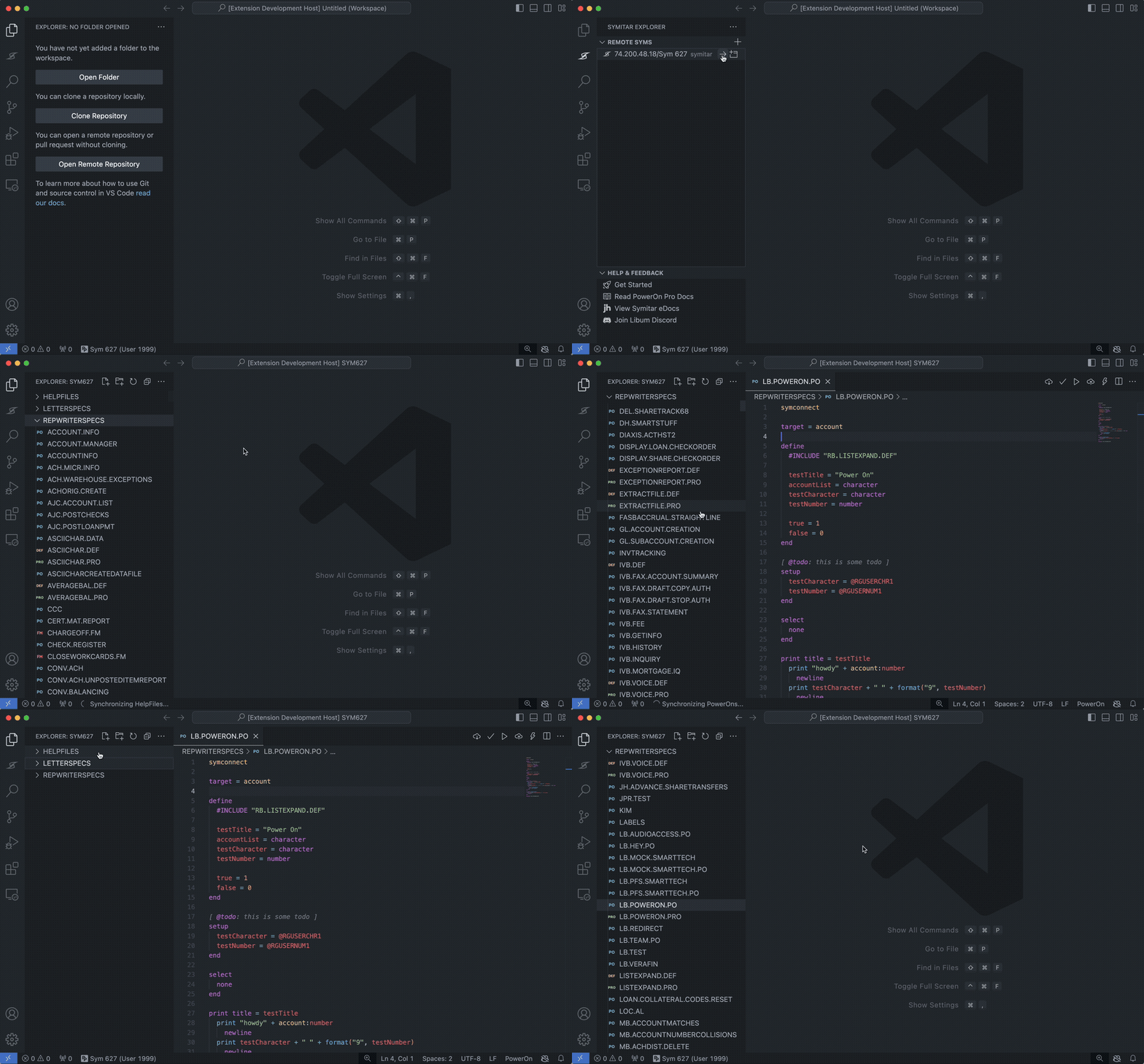
Remote Syms
Available • We've created a semi-virtual workspace for you to freely navigate the LETTERSPECS, HELPFILES, and REPWRITERSPECS directories for any of your Syms.
Remote Syms - SCM
Coming Soon • Currently a Remote Sym is literally intended to be a "virtual" editing on your remote Symitar host. Meaning, as you make edits they're deployed and inversely it will periodically sync to stay up to date with what other folks may be deploying to the remote as well.
This technically means, that if you were to develop in (  ) there is a potential to clobber files you've been editing locally, the next time you sync. To mitigate this, we're introducing a light weight Source Control Manager (SCM) to run the incoming changes through a diff editor to better protect your copy that way you still get the latest and great but have better autonomy of what your local state is.
Reports
Available • We are basically combining and adding our flavor to the UIs you find in Batch Control and Print Control to give you an incredible UX while working with batch output generated from your PowerOns. You'll have the luxury of quickly navigating through your Symitar reports as well as even launch accounts in Symitar Quest directly from our views.
Embedded HTML language support
Plus / In Development • PowerOns with HTML are becoming the standard for creating rich user interfaces available in Symitar - encapsulating these with htmlViewLine can be a bit cumbersome so we're introducing the ability to write HTML directly in your PowerOn files with full language support. We'll handle the translation whenever you choose to deploy!
On-Demand PowerOn rendering
Plus / In Development • To satisfy our vision of being the fastest way to develop on the Symitar core platform, it made a lot of sense to support both sides (Batch + Demand) of PowerOn development. That said, we're building a rendering engine for on-demand PowerOns to display from within VS Code preventing you from having to launch Symitar Quest to see your code come to life.
SymXchange PowerOn Development
Plus / Coming Soon • Writing PowerOns for SymXchange typically involves a two-step process in order for the changes to reflect in your executePowerOn call:
- Ensure the PowerOn is loaded in the SymX instance Common Parameters
- Bounce the SymX instance device
This involves navigating through Symitar Quest and waiting for each of the UIs to load for you to perform the actions. With PowerOn Pro, we remove these requirements and handle the complete refresh lifecycle internally.
Job Files Manager
Plus / Coming Soon • Creating and editing Job Files in Symitar Quest can be a bit tricky given the strictly linear wizard-based UI. We have reimagined this user-experience with a beautiful UI and quite a few more controls to create / maintain these much more easily.